Logo Maker - AI Art Design
Smart AI DEVArt & Design
4.4346.00 Reviews
- Version
- 1.4.3
- Installs
- 1.00M
- Age Rating
- Everyone
Screenshots
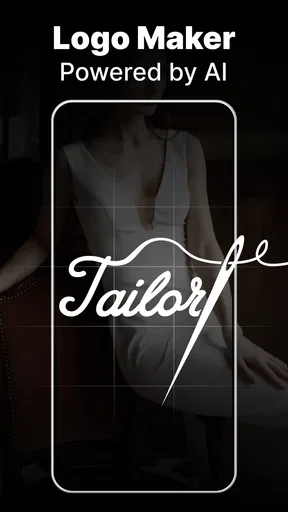
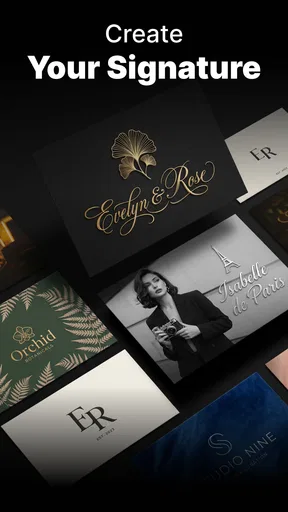
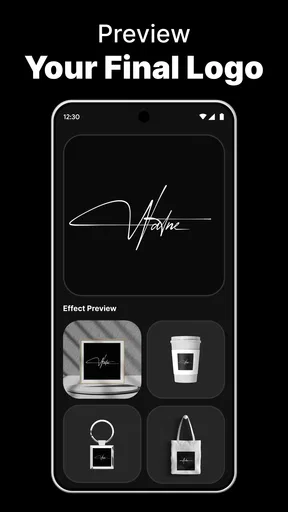
Our Review of Logo Maker - AI Art Design
 Analysis by Appyee
When several people share a phone or tablet, a logo project can turn into a small household activity: one person has a name in mind, another has a color opinion, and someone else wants to try an entirely different look. Logo Maker - AI Art Design is aimed at making that first round of ideas approachable. I see its best role as a quick, hands-on way to explore directions, rather than a replacement for a carefully planned identity made for a business that needs precise, production-ready branding.
That distinction matters if you are deciding whether to install it. This is a free art and design app from Smart AI DEV, with optional in-app purchases. Its broad appeal is easy to understand: you can start with a logo concept without first learning a professional design program. But a simple starting point is not the same as a finished brand system. I would use it to sketch, compare, and discuss ideas, then check carefully that the chosen result works wherever I intend to use it.
Making room for everyone’s ideas
A realistic use case is a family planning a small bake sale or a shared hobby project. One person can enter the project name and explore a few visual directions, while the others look at the screen and say what feels right: a friendly symbol, a calmer color, or lettering that is easier to read. That kind of low-pressure collaboration is where a visual app can be useful even if only one person is tapping through the controls.
I would keep the conversation focused by agreeing on a few basics before opening the editor: what the project is called, who it is for, and where the logo will appear. A design that looks lively as a phone image may need to be much simpler on a small label. Making that decision early can prevent a shared session from becoming an endless cycle of changing colors and icons without settling on a direction.
Shared-device use also calls for a little care. If more than one person is using the same device, I would avoid treating an in-progress design as a private, permanent workspace unless I know how the app handles saving and accounts. Before handing the device to someone else, finish or set aside the current task and make sure the next person understands which design they are editing. That is ordinary device housekeeping, not a claim that the app includes household profiles or collaboration controls.
Set expectations before designing together
Because the appeal is quick experimentation, it is tempting to let everyone make changes at once. In practice, I find it more productive to give each person a clear turn: one person chooses the wording, another compares styles, and a final pass checks whether the result is readable. This keeps the process enjoyable while making it easier to remember why a particular choice was made.
If the logo is for a real group or small business, agree on who gets the final say before spending time polishing options. A shared screen can invite useful feedback, but too many simultaneous preferences can muddy the design. I would save or capture the strongest candidates in whatever way the app makes available, then compare them side by side outside the editing moment. The point is to choose a direction, not to keep generating variations just because it is easy to do so.
On a shared phone, personal accounts and project ownership deserve attention too. The app’s sign-up process is part of getting started, so I would have the person responsible for the project handle that step rather than casually using another household member’s account. If a child is helping with colors or ideas, an adult can manage account-related decisions and any purchase prompts. This is a practical boundary for shared devices, not an assumption that the app has special family settings.
Who will get the most from it?
I think the app makes the most sense for someone who needs a visual starting point: a student preparing a club project, a hobby seller testing a name, or a small team that wants to discuss a few styles before committing to a larger design job. It can also suit a person who has a clear idea but little experience with layout tools and wants to see how different fonts, colors, and symbols affect the overall feel.
It is less suited to anyone who needs strict control over every curve, spacing measurement, or brand asset. A professional designer working on a complete identity may prefer desktop software with a more deliberate vector workflow and finer control. Likewise, if the logo has legal or commercial importance, I would not assume that a generated concept is ready to use simply because it looks polished on a phone. Check the design at the size and in the formats you need, and consider getting specialist help when the stakes justify it.
Compared with starting from a blank canvas in a general-purpose drawing app, this kind of logo tool can shorten the search for a visual direction. Compared with hiring a designer, it is a more immediate and hands-on way to test ideas, but it cannot replace the judgment and research that go into a distinctive identity. The useful middle ground is to use the app for exploration and then make a deliberate decision about whether the result is good enough for the intended job.
Age, trust, and practical checks
The app is rated for Everyone, which makes it broadly suitable from a content-rating perspective, but that does not mean every design decision should be left to a young user. I would still supervise account setup and any purchase decision, especially on a device used by several people. The app is free to install, while optional in-app purchases range from $6.99 to $59.99 per item, so it is sensible to discuss spending before a child or another family member explores the app.
For a household project, I would also agree on what information to enter. A project name is often enough to begin exploring an idea; there is no need to add personal details just to make a logo concept. This keeps the task focused and gives adults a clear opportunity to guide younger users without turning a creative activity into an account-sharing free-for-all.
One practical question is whether the final image will work outside the app. Before settling on a design, check the export choices and confirm that the format fits the intended use. A transparent image can be useful for placing a mark over different backgrounds, while a vector format is generally preferable when artwork must scale for print. Do not choose a design solely because it looks good in the editor; test it at a small size, in a single color if relevant, and against the background where it will actually appear.
Getting started with Logo Maker
First off, downloading and setting up Logo Maker - AI Art Design was a breeze. It's available on both Android and iOS, so you're covered no matter what type of phone you’ve got. Once you open the app, you're greeted with a clean, intuitive interface. I’m talking no-nonsense, straight to the point, which I absolutely love.
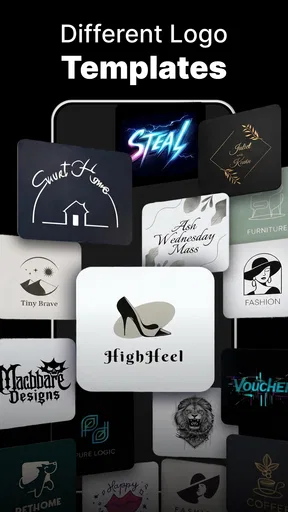
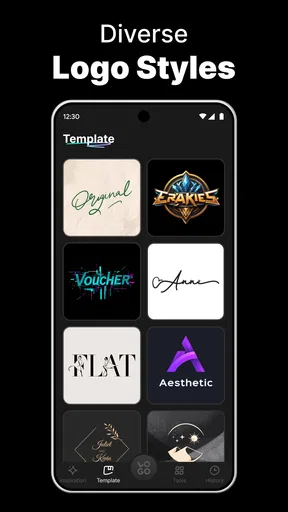
After a quick sign-up process, you’re ready to dive into the world of logo creation. The app offers a plethora of templates to get you started. And when I say plethora, I mean it! There are categories for every kind of business or hobby you can think of—from tech startups to bakeries, and everything in between.
Designing your logo
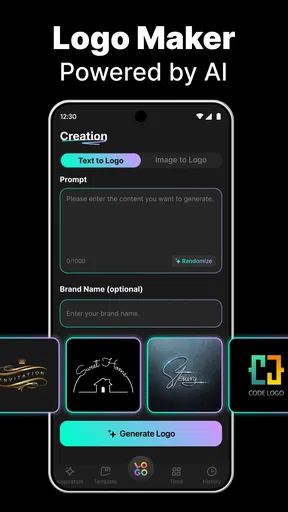
Now onto the fun part—designing! The app uses AI technology to suggest designs based on your preferences, which is a neat feature if you're ever stuck for inspiration. You just have to input a few details like your brand name and preferred style, and voila, the app spits out some pretty impressive options.
Editing these templates is super simple. You can tweak colors, fonts, and layouts with just a few taps. The drag-and-drop feature makes it feel like a game rather than a task. I spent quite a bit of time playing around with different combinations, and it was genuinely fun. The customization options are vast, letting you add icons or even upload your own images.
Advanced features and export decisions
For those who want to take it up a notch, the app provides some advanced features. You can generate stunning 3D logos, which is pretty cool. There’s also an option to create animated logos, adding that extra flair if you’re planning to use your logo in videos or presentations.
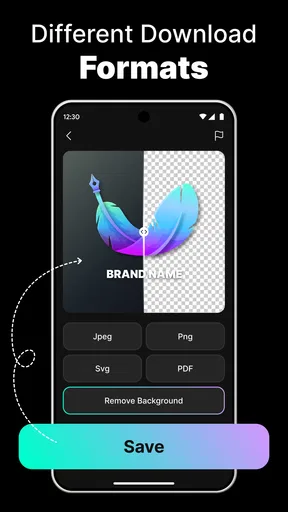
Another feature worth mentioning is the ability to export your designs in various formats. Whether you need a high-resolution PNG for your website or a vector file for print, Logo Maker - AI Art Design has got you covered. This flexibility is a lifesaver when you need your logo across different platforms.
Even with multiple export choices, I would treat format selection as part of the design process rather than an afterthought. A detailed mark may look appealing at full size but become difficult to recognize when reduced to an avatar or a small label. Before calling a design finished, try the simplest version you can: remove decorative details mentally, shrink the preview, and see whether the central shape or lettering still reads clearly. If it does not, simplify the concept instead of relying on a larger export to solve a layout problem.
Why the approachable workflow helps
One of the things I really appreciate about this app is its user-friendly approach. You don’t need to be a graphic design guru to whip up something that looks professional. The AI assistance is genuinely helpful without being intrusive, and the range of options makes it easy to create something unique.
It's also worth noting that the app is regularly updated with new templates and features, keeping things fresh. Plus, the community aspect, where you can share your designs and get feedback, is a nice touch for those looking for a bit of extra guidance or inspiration.
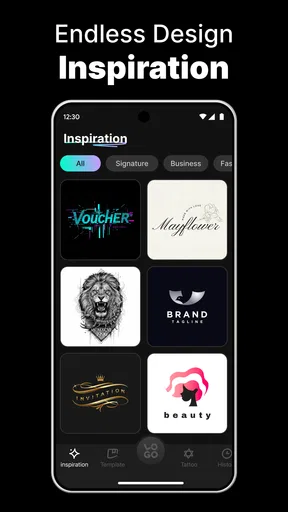
For a first-time user, I would resist choosing the first AI suggestion that seems close enough. Treat the suggestions as prompts: notice what you like about each one, such as the balance of the lettering or the shape of an icon, and then adjust the design with a specific purpose. This small change in approach often makes the result feel more considered. It also helps when several people are giving feedback, since they can respond to concrete choices rather than simply asking for something “better.”
The app’s reach suggests it has found an audience among people looking for accessible logo-making tools: it has over a million installs and an average rating of 4.2 from around 31,000 ratings. It was released on May 20, 2025, and version 1.2.4 is listed as requiring Android 5.0 or later. Those details give a useful sense of its availability, but they do not settle whether a particular design will meet your needs; the best test is still to make a small sample and inspect it in context.
My household verdict
All in all, Logo Maker - AI Art Design is a fantastic tool for anyone looking to create a standout logo without breaking a sweat. Its combination of AI technology, user-friendly interface, and extensive customization options make it a must-have for entrepreneurs, small business owners, or anyone who loves a bit of design creativity.
If you’re ready to unleash your inner designer, I’d definitely recommend giving this app a shot. You might just surprise yourself with what you can create!
For a household, I would recommend it most when the goal is exploration: trying a name, comparing styles, or making a simple mark for a shared activity. Keep one person responsible for account and purchase decisions, let everyone contribute ideas in turns, and inspect the finished design at its real size before using it. If you need meticulous brand standards or a dependable identity for a major launch, choose a more controlled design workflow or work with a professional instead. For casual projects and early concepts, though, this is an inviting place to start.
Verdict
Strengths of Logo Maker - AI Art Design
- User-friendly interface for quick designs.
- Wide variety of templates available.
- AI suggestions enhance creativity.
- Exports in high-resolution formats.
- Regular updates with new features.
Limitations of Logo Maker - AI Art Design
- Limited free features; subscription needed.
- Some templates feel generic.
- Occasional lag on older devices.
- In-app ads can be distracting.
- Customization options can be overwhelming.
Other Releases by Smart AI DEV
View All
AI Photo Video Maker, Enhancer
Photography4.7

AI Home Design: Interior DecAI
Art & Design4.6

AI Photo Editor - BgMaster™
Photography4.6

Coin Identifier - Coin Finder
Tools4.4
Similar Picks in This Category
View All
Canva: AI Photo & Video Editor
Canva4.8

PENUP – Drawing-sharing SNS
Samsung Electronics Co., Ltd.4.5

Crafto
Kutumb App4.6

Sketchbook
Sketchbook4.1

ibis Paint X
ibis inc.4.5

Adobe Express: AI Photo, Video
Adobe4.6
Frequently Asked Questions
What features does Logo Maker - AI Art Design offer?
Logo Maker - AI Art Design provides a comprehensive suite of tools for creating professional logos. Users can choose from a vast library of templates and customize them with fonts, colors, and graphics. The app also offers AI-driven suggestions to enhance creativity, ensuring that even beginners can design eye-catching logos with ease.
Is Logo Maker - AI Art Design suitable for beginners?
Absolutely. Logo Maker - AI Art Design is designed with user-friendliness in mind. Its intuitive interface and AI-driven features guide users through the design process, making it accessible for beginners. Tutorials and tips are available within the app to help users familiarize themselves with different design tools and techniques.
Can I use Logo Maker - AI Art Design for commercial purposes?
Yes, Logo Maker - AI Art Design allows users to create logos for personal and commercial use. However, it's important to review the app’s terms of service to understand any licensing restrictions. Many users have successfully used the app to design logos for businesses, websites, and marketing materials.
Does Logo Maker - AI Art Design support multiple file formats for export?
Yes, the app supports a variety of file formats for exporting your designs, including PNG, JPEG, and SVG. This versatility ensures that your logo can be used across different platforms and media, maintaining high quality and clarity whether it's used online or in print.
Is there a cost associated with using Logo Maker - AI Art Design?
Logo Maker - AI Art Design offers both free and paid versions. The free version provides basic features, while the premium version unlocks additional tools, templates, and customization options. Subscriptions are available for users who require advanced features and regular updates. Pricing details are available on the app's download page.
